
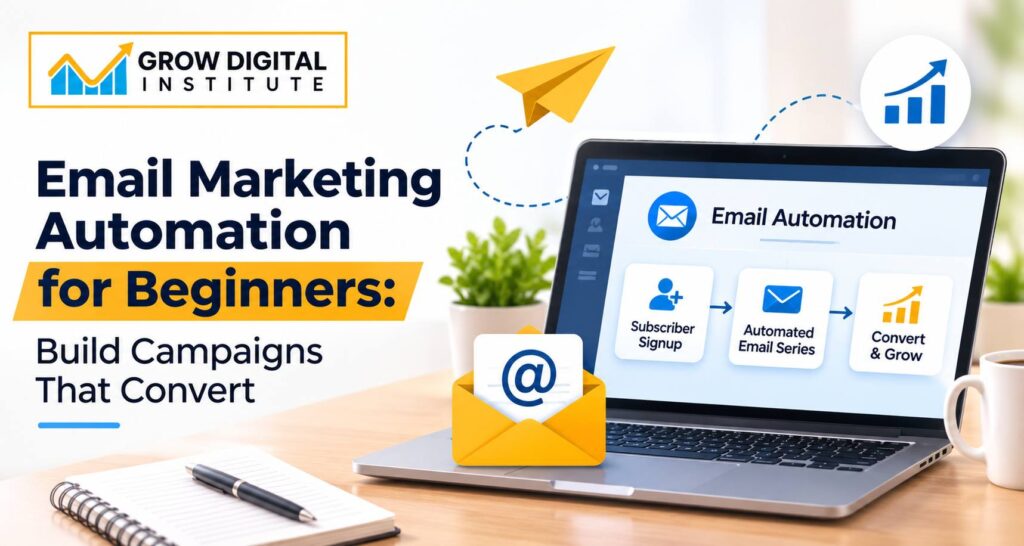
Email Marketing Automation for Beginners: Build Campaigns That Convert
Email marketing remains one of the most effective ways for businesses to communicate with customers, build relationships and generate sales. However, sending individual emails to hundreds or thousands of subscribers can become time-consuming. This is where email marketing automation makes a difference.
Imagine a customer visiting your website, signing up for your newsletter and immediately receiving a welcome email. A few days later, they receive useful information about your products or services. If they show interest in a particular product, they may receive a relevant offer. All of this can happen automatically without manually sending every email.
This is the power of email marketing automation.
For beginners, understanding how automation works can open up new opportunities in digital marketing. Whether you run a small business, manage an online store, work in marketing or want to develop your digital marketing skills, learning to create automated email campaigns can help you achieve better results.
In this guide, we will explore the basics of email marketing automation, how to set up your first campaign, which tools to use and how to build email campaigns that encourage people to take action.
What Is Email Marketing Automation?
Email marketing automation is the process of sending emails automatically to subscribers based on specific actions, behaviours, preferences or schedules.
Instead of manually sending emails to every contact, businesses create predefined workflows that deliver the right message to the right person at the right time.
For example:
- A visitor subscribes to your newsletter and receives a welcome email.
- A customer purchases a product and receives an order confirmation.
- Someone adds products to their shopping cart but does not complete the purchase and receives a reminder.
- A subscriber who has not opened emails for several months receives a re-engagement campaign.
These emails are triggered by specific events or conditions.
The main purpose of email marketing automation is to save time, improve communication, nurture potential customers and increase conversions.
It also allows businesses to maintain consistent communication without requiring someone to manage every email manually.
Why Is Email Marketing Automation Important for Businesses?
Email marketing is not just about sending promotional messages. It is about building a relationship with your audience.
When someone shares their email address with your business, they are giving you an opportunity to communicate with them directly.
Automation helps businesses make the most of this opportunity.
1. Saves Time and Improves Productivity
Manually sending emails to every subscriber takes considerable time. Automation allows businesses to create campaigns once and let the system handle future communication.
For example, an online course provider can automatically send course details, payment instructions and class reminders whenever a student registers.
2. Builds Better Customer Relationships
Customers often need multiple interactions before making a purchase.
Automated emails help businesses stay connected by sharing useful information, product updates, offers and educational content.
Consistent communication builds familiarity and trust.
3. Improves Lead Nurturing
Not every person who visits your website is ready to purchase immediately.
Some people are researching options, while others are comparing different businesses.
With automated email campaigns, you can gradually educate these potential customers and help them understand why your product or service is valuable.
4. Provides Personalised Communication
Automation platforms allow businesses to use subscriber information such as names, interests, purchase history and preferences.
This makes it possible to send more relevant messages instead of delivering the same email to everyone.
5. Helps Increase Conversions
Well-planned email sequences can encourage subscribers to take specific actions, such as booking a consultation, purchasing a product, registering for an event or downloading a resource.
The more relevant the communication, the better the opportunity to generate meaningful engagement and conversions.
How Does Email Marketing Automation Work?
Before creating your first automated campaign, it is important to understand the basic process.
Most email marketing automation systems work through three main elements:
1. Trigger: The action that starts an automated email sequence.
Examples include subscribing to a newsletter, purchasing a product or downloading an ebook.
2. Condition: The criteria used to decide what happens next.
For example, whether a subscriber opened an email or clicked a particular link.
3. Action: The activity performed by the automation system.
This could be sending an email, adding a contact to a specific list or moving a subscriber into another campaign.
Here is a simple example:
A visitor downloads a free digital marketing guide from your website.
- Trigger: Visitor submits the download form.
- Action 1: Send an email containing the guide.
- Wait: Two days.
- Action 2: Send an educational email about digital marketing.
- Wait: Three days.
- Action 3: Share information about your digital marketing course.
- Action 4: Invite the subscriber to enquire or book a counselling session.
This complete sequence is called an email automation workflow.
Types of Automated Email Campaigns Every Beginner Should Know
There are different types of automated emails businesses can use depending on their marketing objectives.
Here are some important campaigns beginners should understand.
1. Welcome Email Series
A welcome email is usually the first message a subscriber receives after joining your mailing list.
It introduces your brand, explains what subscribers can expect and helps create a positive first impression.
A welcome email series can include:
- Email 1: Thank the subscriber and introduce your business.
- Email 2: Share useful information about your products or services.
- Email 3: Highlight customer benefits or success stories.
- Email 4: Encourage the subscriber to take the next step.
For example, a digital marketing institute can welcome new enquiries by sharing course details, learning opportunities and information about practical training.
2. Lead Nurturing Emails
Lead nurturing campaigns are designed to educate people who have shown interest in your business but are not yet ready to purchase.
Instead of repeatedly asking them to buy something, provide valuable information that helps them make an informed decision.
For example, a real estate company can send emails about property buying tips, home loan information, location advantages and available properties.
The objective is to build trust before making a sales offer.
3. Abandoned Cart Emails
This type of automation is particularly useful for ecommerce businesses.
Sometimes customers add products to their shopping carts but leave the website without completing the purchase.
An abandoned cart email reminds them about the products they were interested in and provides an opportunity to complete their order.
Depending on the business strategy, the email may include product details, customer reviews or a limited promotional offer.
4. Promotional Email Campaigns
Promotional automation helps businesses communicate special offers, discounts, seasonal deals and product launches.
For example, an online clothing store can automatically send a promotional email to subscribers interested in a particular product category.
The key is to make promotional messages relevant rather than sending frequent offers without considering subscriber preferences.
5. Re-engagement Email Campaigns
Some subscribers stop opening emails after a certain period.
A re-engagement campaign helps businesses reconnect with inactive subscribers.
You can send a friendly message asking whether they would like to continue receiving updates, share new content or highlight recent developments.
If someone remains inactive, consider removing them from regular marketing campaigns according to your data retention and consent policies.
6. Post-Purchase Email Campaigns
The customer journey does not end after someone makes a purchase.
Post-purchase emails help businesses maintain relationships and encourage repeat purchases.
Examples include:
- Order confirmation emails.
- Product usage instructions.
- Feedback and review requests.
- Related product recommendations.
- Renewal or subscription reminders.
These campaigns improve the overall customer experience.
How to Set Up Your First Email Marketing Automation Campaign
Now that you understand the different types of automated emails, let’s look at how to create your first campaign.
Step 1: Define Your Marketing Objective
Before selecting an email marketing tool, decide what you want to achieve.
Your objective could be:
- Generate more leads.
- Increase online sales.
- Promote a new service.
- Improve customer retention.
- Encourage event registrations.
- Educate potential customers.
A clear objective helps you decide what type of campaign to create and which results to measure.
For beginners, it is better to start with one specific goal rather than trying to automate every marketing activity at once.
Step 2: Build a Quality Email List
Your email list is one of the most important parts of your campaign.
You can collect email addresses through:
- Website subscription forms.
- Contact and enquiry forms.
- Free ebook downloads.
- Webinar registrations.
- Newsletter subscriptions.
- Customer registrations.
Always collect email addresses through transparent methods and obtain the appropriate consent for marketing communication.
Avoid purchasing random email lists. These contacts may not be interested in your business and can negatively affect deliverability and your brand reputation.
Step 3: Choose an Email Marketing Automation Tool
An email marketing platform helps you create email templates, manage subscribers, build automation workflows and track campaign performance.
Some popular tools include:
Mailchimp: Suitable for beginners who want to create newsletters, manage contacts and build basic automated campaigns.
Brevo: Offers email marketing, automation features and additional communication tools for businesses.
MailerLite: Useful for creating email campaigns, landing pages and automated workflows.
HubSpot: Provides email marketing alongside CRM and marketing automation features.
ActiveCampaign: Offers advanced automation, segmentation and customer journey management.
Choose a platform based on your business requirements, subscriber volume, budget and technical experience. Check the current pricing and feature limitations before selecting a plan.
Step 4: Create an Email Automation Workflow
Once your account is ready, plan the sequence of emails you want subscribers to receive.
For example, if your goal is to generate leads for a service-based business, your workflow could look like this:
- A visitor submits an enquiry form.
- An automatic thank-you email is sent.
- After two days, the subscriber receives useful information about the service.
- After three more days, they receive a customer success story or case study.
- A final email invites them to book a consultation.
Keep the sequence simple and make sure every email has a clear purpose.
Step 5: Write Engaging Email Content
Your email content plays a major role in determining whether subscribers engage with your campaign.
Focus on writing messages that are clear, useful and relevant to your audience.
Some important elements include:
- Subject line: Give subscribers a reason to open your email.
- Opening sentence: Capture attention immediately.
- Main content: Share useful information without unnecessary details.
- Call to Action (CTA): Tell readers what to do next.
- Email signature: Include your business details and contact information.
Avoid making every email sound like a sales advertisement. A good email marketing strategy balances promotional content with educational and relationship-building messages.
Step 6: Segment Your Email Subscribers
Email segmentation means dividing your subscriber list into smaller groups based on relevant characteristics.
For example, an ecommerce business can segment subscribers based on their purchase history, interests or preferred product categories.
A digital marketing institute may create separate groups for:
- People interested in SEO training.
- People interested in Google Ads.
- Students interested in social media marketing.
- Individuals enquiring about complete digital marketing courses.
Segmentation helps you send more relevant information to each audience group.
Step 7: Test Your Campaign Before Launching
Never launch an automated email campaign without testing it.
Send test emails to check:
- Subject lines and email content.
- Spelling and grammatical errors.
- Images and clickable links.
- Mobile responsiveness.
- CTA buttons.
- Automation triggers and delays.
- Personalisation fields.
Also check that subscribers are entering the correct workflow and are not receiving duplicate messages.
A small testing process can prevent major campaign mistakes.
Best Practices for Email Marketing Automation
Setting up automation is only the beginning. To achieve better results, you need to continuously improve your campaigns.
Here are some important practices to follow.
1. Personalise Emails Naturally
Use subscriber information to make your communication relevant.
Adding someone’s first name can help, but personalisation should go beyond names. Share content based on their interests, previous interactions and preferences.
2. Write Subject Lines That Encourage Opens
Your subject line is often the first thing a subscriber notices.
Keep it relevant, specific and easy to understand.
For example:
Instead of: “Our Latest Updates”
Try: “5 Digital Marketing Skills That Can Improve Your Career”
Avoid misleading subject lines or exaggerated promises.
3. Make Emails Mobile-Friendly
Many subscribers read emails on smartphones.
Use readable fonts, short paragraphs, properly sized images and clearly visible CTA buttons.
Always preview your emails on different screen sizes before launching a campaign.
4. Maintain a Consistent Sending Schedule
Sending too many emails can frustrate subscribers, while sending too few can make them forget your brand.
Develop a realistic communication schedule based on your audience and the purpose of your campaign.
5. Include a Clear Call to Action
Every marketing email should have a purpose.
Whether you want someone to visit your website, download a guide, register for an event or purchase a product, make the next step clear.
Avoid adding too many competing CTAs in one email.
6. Follow Email Marketing and Data Privacy Regulations
Businesses should follow applicable email marketing, consent and data protection requirements.
Use permission-based subscriber lists, provide an easy unsubscribe option in marketing emails and clearly identify your business.
For businesses communicating internationally, requirements such as GDPR and CAN-SPAM may apply depending on the audience and circumstances.
Important Email Marketing Metrics to Track
To understand whether your automation campaigns are performing well, you need to monitor the right metrics.
Here are some important indicators:
1. Open Rate: Measures the percentage of delivered emails reported as opened. However, privacy features and email client behaviour can affect its accuracy.
2. Click-Through Rate (CTR): Measures the percentage of delivered emails that generated at least one click on a link.
3. Conversion Rate: Measures how many recipients completed your desired action, such as purchasing a product or submitting an enquiry.
4. Bounce Rate: Shows the percentage of emails that could not be delivered successfully.
5. Unsubscribe Rate: Indicates how many subscribers opted out of receiving future marketing emails.
6. Revenue Per Email: Helps ecommerce and other revenue-focused businesses understand the revenue generated by their email campaigns.
Do not focus only on open rates. Clicks, conversions, revenue and the quality of leads provide a better understanding of campaign performance.
Common Email Marketing Automation Mistakes Beginners Should Avoid
Many beginners make avoidable mistakes when creating their first automated campaigns.
Here are some of the most common ones:
- Sending too many emails: Frequent communication can lead to unsubscribes and reduced engagement.
- Ignoring audience segmentation: Sending identical messages to everyone can reduce relevance.
- Using poor-quality email lists: Unverified or purchased lists can damage sender reputation.
- Writing overly promotional content: Subscribers need useful information, not constant sales messages.
- Ignoring mobile optimisation: Poorly formatted emails can create a bad user experience.
- Not testing automation workflows: Incorrect triggers can result in duplicate or irrelevant emails.
- Failing to monitor results: Without performance tracking, it becomes difficult to identify what needs improvement.
The best approach is to start with simple workflows, analyse the results and improve your campaigns gradually.
The Future of Email Marketing Automation
Email marketing automation is becoming more advanced with the integration of artificial intelligence, predictive analytics and customer behaviour tracking.
AI-powered tools can help marketers generate subject line ideas, draft email content, analyse campaign performance and identify opportunities for personalisation.
Businesses can also use customer data to create more relevant communication based on purchase patterns, engagement and interests.
However, technology alone cannot guarantee successful campaigns.
Understanding your audience, creating useful content and delivering the right message at the right time will continue to be important parts of email marketing.
For digital marketers, learning email automation along with SEO, social media marketing, paid advertising and analytics can help develop a more complete marketing skill set.
Conclusion: Start Building Smarter Email Campaigns
Email marketing automation helps businesses communicate consistently, nurture potential customers and improve their marketing efficiency.
You do not need advanced technical knowledge to get started. Begin with a simple welcome email sequence, build a quality subscriber list, choose an appropriate automation platform and monitor your campaign performance.
As you gain experience, you can explore more advanced workflows, audience segmentation, personalisation and conversion optimisation.
For beginners, the most important thing is to understand why each email is being sent and what action you want the subscriber to take.
If you want to build a career in digital marketing, practical knowledge of email marketing automation can become a valuable addition to your skills.
Learn Digital Marketing with Grow Digital Institute
At Grow Digital Institute, we focus on practical digital marketing education that helps students understand how different marketing channels work in real business environments.
From SEO and Google Ads to Meta Ads, social media marketing, content marketing and digital strategy, students get the opportunity to explore important digital marketing concepts and tools.
If you want to develop industry-relevant digital marketing skills and understand how to plan and execute marketing campaigns, explore our digital marketing courses.
Visit https://growdigitalinstitute.com/ to learn more about our courses and training programmes.